Results Page
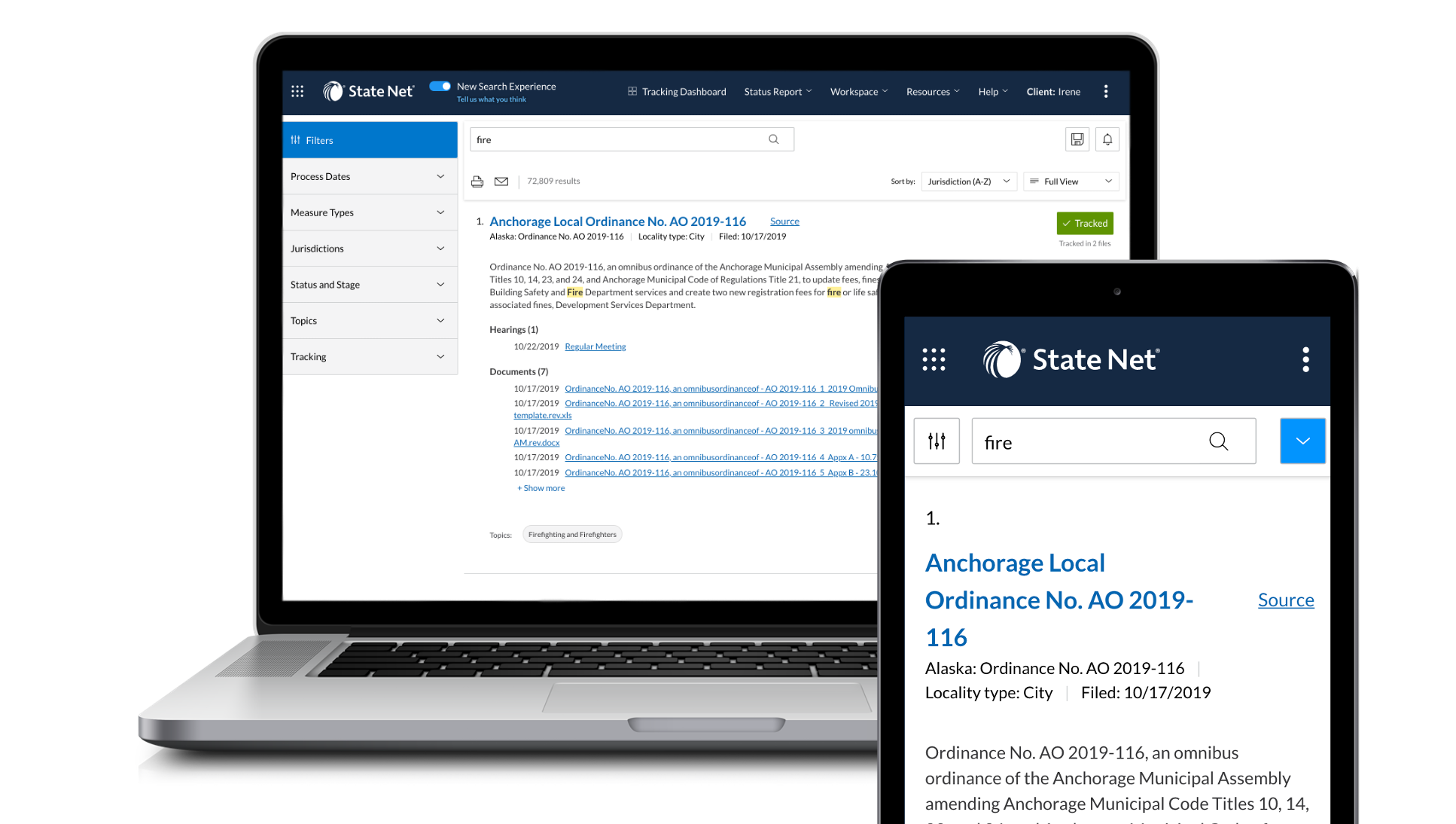
The new results page shows off the new modernized State Net aesthetic. The page has simplified results cards, easy to view and remove filter chips, user-friendly filter menus, and new action buttons.
Your results can be easily modified by removing any of your previous pre-filters and the search results will update. Further, you can type in a different search and your pre-filters will stay in place.
Track a Measure
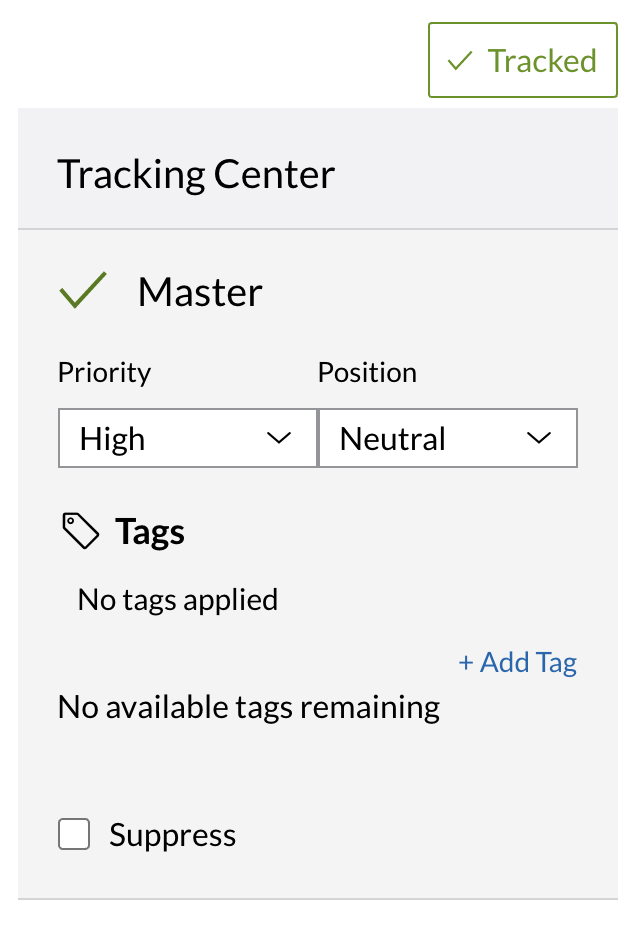 |
Track a measure from your results by clicking on the Track button -- a menu will appear listing all private files and allowing you to choose further options for Priority and Position. Here you may also add tags or suppress the bill from showing up in your tracking results. When you choose "track" the button will change to indicate the action. |
Filters
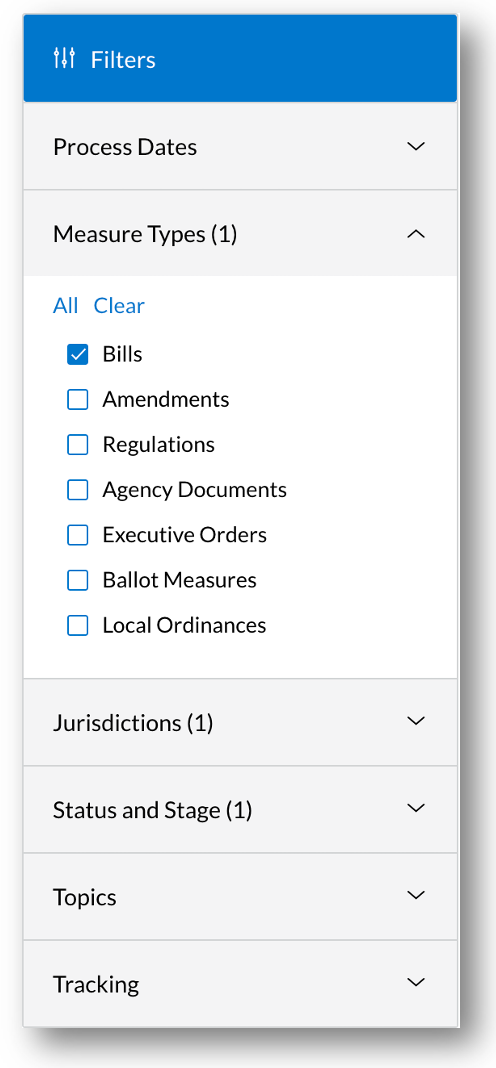 |
Use the filters on the left-hand side to fine-tune your search results Any filter that is selected will:
|
Filter Chips
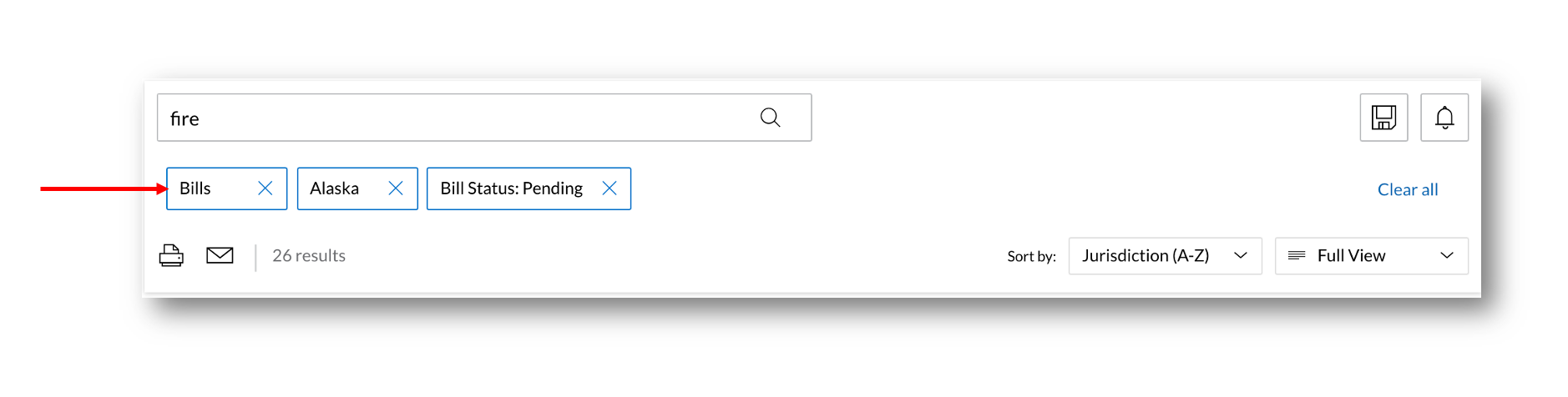
Filter chips populate in your search panel as you make selections in the left hand filter menu.
Use these filter chips as a quick reference for what you have selected.
Quickly remove filters by clicking the x on the filter chip that is non longer needed.
Comments
0 comments
Please sign in to leave a comment.